

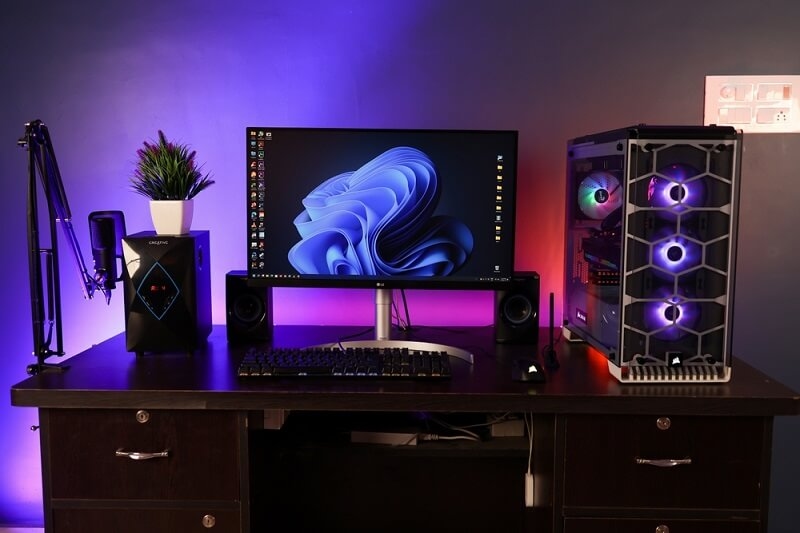
A gaming desk setup is not about copying a viral photo or buying expensive gear. It is about setting up a space that works for your room size, your hardware, and the way you actually play. When the desk is wrong, everything feels off. Mouse movement suffers. Cables get in the way. Sitting becomes uncomfortable after an hour.
This guide focuses on practical gaming desk ideas that solve real problems. It covers layouts that make sense, options for limited space, and simple choices that improve comfort and focus. If you are planning a new PC gaming desk setup or fixing an existing one, this is what you need to know.
A gaming desk setup should support long sessions without distraction. That means enough space, correct height, and clear placement of gear. A setup that looks good but feels awkward will never last.
The basics matter more than aesthetics.
Start with the desk itself. The size should match both your room and your equipment.
Depth matters. You need space for proper monitor distance and free mouse movement.
If your chair height or desk height is off, you will feel it quickly. Your feet should rest flat on the floor. Your elbows should sit level with the desk. Your shoulders should stay relaxed.
Comfort is not optional in a good gaming setup.
Top pick: Build the Best Virtual Reality Desktops for Immersive Worlds
Some of the gaming setup ideas are as follows:
This is one of the most effective gaming desk setup ideas, especially if you play competitive games or work from the same desk.
A minimal setup keeps only what you use daily.
Typical layout:
This setup improves focus and is easy to maintain. It also works well as a gaming desk for small rooms where space is limited.
Lighting should help, not distract. Many gaming setup ideas fail because lighting is overdone.
Use lighting to define the space.
Avoid placing bright lights directly in front of your eyes. The goal is comfort, not attention.
Themes work when they are controlled. A theme should guide color choices, not clutter the desk.
Examples:
Too many decorations take away from usability. A gaming desk setup should stay functional first.
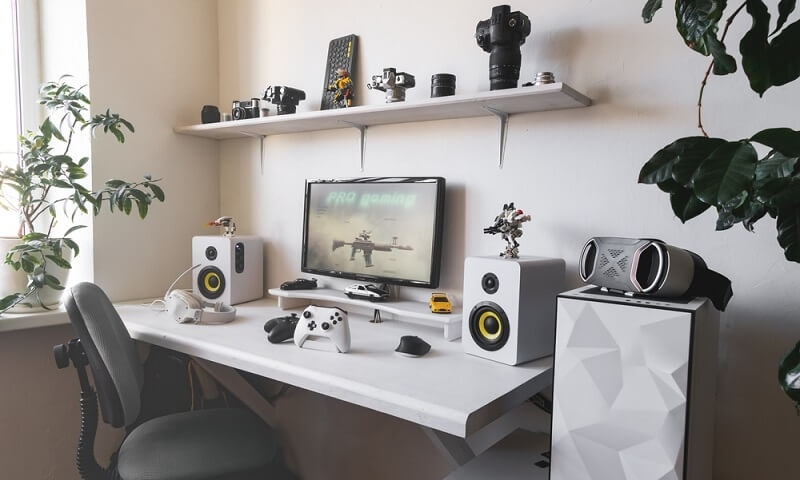
A gaming desk for small rooms needs careful planning. The biggest mistake people make is trying to fit too much gear into too little space.
When floor space is limited, walls become storage.
This keeps the desk surface clear and usable.
Look for desks designed for compact spaces.
Good features include:
A smaller desk works if the layout is clean.
In small rooms, visible cables make the setup feel messy.
Use:
Good cable management instantly improves any gaming desk setup.
Also check: Future of Desktop PCs and Redefining Performance and Design
A proper PC gaming desk setup balances performance and comfort. Each item should have a clear place.
You can place your PC on the desk or below it.
If placing it below, keep it raised off the floor to avoid dust buildup.
Your main monitor should sit directly in front of you. The top of the screen should align close to eye level. If you use two monitors, angle the second one inward slightly.
This reduces neck movement during play.
Leave enough room for wide mouse movement. Avoid pushing the keyboard too close to the desk edge. A large desk mat helps keep everything aligned and comfortable.
Comfort directly affects how long you can play. Many gaming desk ideas focus on looks and ignore this part.
Simple upgrades that help:
These changes are small but noticeable during long sessions.
A gaming desk setup should stay organized without daily effort.
When everything has a place, the desk stays usable.
These issues show up often:
Fixing these improves both comfort and focus.
You do not need to upgrade everything at once.
A smart approach:
This keeps your gaming desk setup functional without overspending.
A gaming desk setup should feel natural to use. It should fit your room, support your posture, and make gaming easier, not harder. Whether you prefer clean gaming desk ideas or more detailed gaming setup ideas, focus on function first.
When the desk works, the rest of the setup falls into place.
Must read: Cloud Gaming Technology Revolutionizing Future Gaming
A basic gaming desk setup with one monitor, a stable desk, proper seating, and good cable management is enough. Comfort matters more than extra gear.
Use a compact desk, take advantage of wall storage, limit desk items, and manage cables properly. A gaming desk for small rooms should stay simple.
A solid desk, correct monitor height, enough mouse space, organized cables, and a comfortable chair are essential for a PC gaming desk setup.
This content was created by AI